
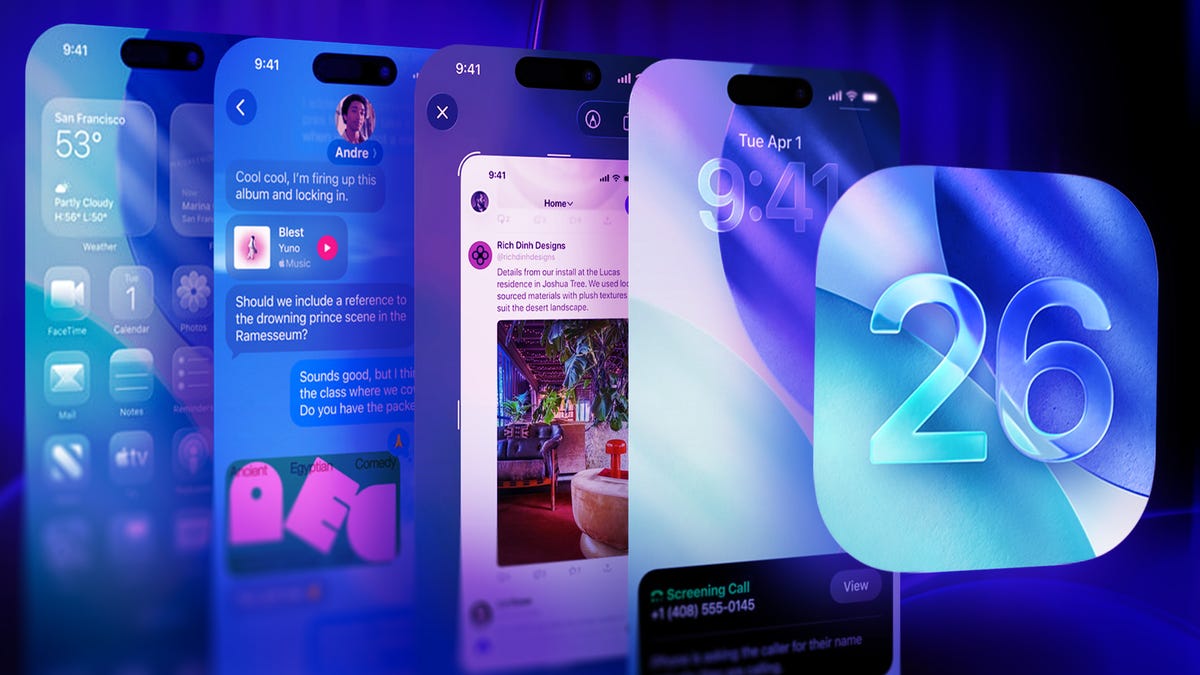
iOS 26’s Call Screening Feature: The Digital Shield That’s Silencing Spam Calls Forever
In a world where our smartphones have become both lifelines and liabilities, Apple’s latest iOS 26 has delivered what many consider to be the most revolutionary phone feature since voicemail itself: intelligent call screening. For millions of frustrated iPhone users who’ve endured the relentless assault of spam calls, this feature isn’t just convenient—it’s transformative.
The Spam Call Epidemic That Plagued Our Pockets
Before we dive into the solution, let’s acknowledge the problem that’s been driving us all to the brink of madness. Spam calls have evolved from a minor annoyance to a full-blown crisis. These automated intrusions don’t just disrupt our day—they prey on our anxieties, mimic legitimate institutions, and have become sophisticated enough to spoof local numbers, making them nearly impossible to ignore.
The psychological toll is real. Every unknown call triggers that split-second panic: «What if it’s the doctor? What if it’s my kid’s school? What if it’s an emergency?» This constant state of alert has turned our most personal devices into sources of stress rather than connection.
How iOS 26’s Call Screening Works: The Digital Bouncer for Your Phone
Apple’s solution is brilliantly simple yet remarkably effective. When enabled, call screening acts as a virtual receptionist for your iPhone, intercepting unknown callers and asking them to state their purpose before your phone ever rings.
Here’s the magic: when someone not in your contacts calls, instead of your phone ringing and interrupting your life, the caller hears a friendly automated message asking them to explain why they’re calling. This message is recorded and transcribed in real-time, then sent to you as a notification. You can then decide whether to answer, decline, or block the number—all without ever being disturbed.
The Technical Marvel Behind the Curtain
What makes this feature particularly impressive is that it doesn’t require Apple Intelligence or any of the company’s more advanced AI capabilities. This means any iPhone running iOS 26 can benefit, from the latest iPhone 16 Pro to older models like the iPhone 14 Pro. The technology relies on sophisticated voice recognition and natural language processing to accurately transcribe caller responses, even accounting for accents, background noise, and varying speech patterns.
The system is designed with privacy in mind, processing all voice data locally on your device rather than sending it to Apple’s servers. This ensures that your conversations remain private while still benefiting from advanced screening capabilities.
Setting Up Your Digital Defense: A Step-by-Step Guide
Enabling call screening is remarkably straightforward, but the real decision lies in choosing the right screening level for your lifestyle. Here’s how to set it up:
- Open your iPhone’s Settings app
- Scroll down and tap on «Phone»
- Under the «Screen Unknown Callers» section, you’ll find three options: Never, Ask Reason for Calling, and Silence
Choosing Your Protection Level: Never, Ask, or Silence
Never is the default setting that behaves exactly like pre-iOS 26 iPhones. All calls come through, whether you want them or not. This option is best for those who need to receive calls from unknown numbers regularly, such as small business owners or freelancers.
Ask Reason for Calling is the sweet spot for most users. This option asks unknown callers to state their purpose, then notifies you with a transcript. You maintain control without being constantly interrupted. It’s particularly effective because spam callers rarely bother to respond to the automated prompt, effectively filtering them out automatically.
Silence is the nuclear option. Any unknown number is sent straight to voicemail without any interaction. While this provides maximum peace, it also means you might miss legitimate calls from doctors, schools, or potential employers who aren’t in your contacts.
Real-World Impact: From Chaos to Calm
The transformation is immediate and profound. Users report going from receiving 5-10 spam calls per week to virtually none. The psychological relief is palpable—no more jumping at every unknown number, no more wondering if you’re missing something important, no more frustration at being interrupted during meetings, meals, or precious moments of quiet.
For those who’ve enabled the feature, the question isn’t whether they’d recommend it, but rather how they ever lived without it. The feature has become so essential that many users say they’d consider switching phones if a similar feature weren’t available on other platforms.
Beyond Spam: Unexpected Benefits
The call screening feature offers benefits that extend far beyond spam prevention. It’s become a tool for better time management, allowing users to batch their communications and respond to calls on their own terms. It’s also proven invaluable for those in high-stress professions who need to maintain focus but can’t completely disconnect.
Parents appreciate being able to silence unknown calls during family time while still being reachable by schools and caregivers. Business professionals can maintain availability for clients without being constantly interrupted by sales calls and surveys.
The Future of Communication: Reclaiming Our Attention
Apple’s call screening feature represents more than just a convenient tool—it’s a statement about the value of our attention and the right to control our digital interactions. In an age where our devices constantly demand our focus, having the ability to filter and manage communications represents a significant step toward healthier technology use.
The feature also hints at a broader trend in digital communication: the shift from always-on availability to intentional connectivity. As our lives become increasingly mediated by technology, tools that help us maintain boundaries and control our digital interactions will only grow in importance.
Tags and Viral Phrases That Capture the Revolution
iOS26 #CallScreening #SpamFreeLife #DigitalPeace #iPhoneRevolution #TechFreedom #AttentionProtection #DigitalBoundaries #SpamSolution #AppleInnovation #PhonePeace #TechTips #DigitalWellness #CommunicationControl #iPhoneTips #SpamCalls #DigitalDetox #TechLife #AppleEcosystem #MobileSecurity
The Bottom Line: A Feature That Changes Everything
iOS 26’s call screening isn’t just another incremental update—it’s a fundamental reimagining of how we interact with our phones. By putting control back in users’ hands, Apple has addressed one of the most persistent pain points in modern smartphone use.
Whether you’re a busy professional tired of constant interruptions, a parent wanting to protect family time, or simply someone who values their peace and quiet, call screening offers a solution that’s both elegant and effective. In a world where our attention is constantly under siege, this feature represents a small but significant victory for digital autonomy.
The question isn’t whether you should enable call screening—it’s why you haven’t already. In the battle against spam calls, iOS 26 has given us the weapon we’ve been waiting for, and the results are nothing short of revolutionary.
,
Deja una respuesta